





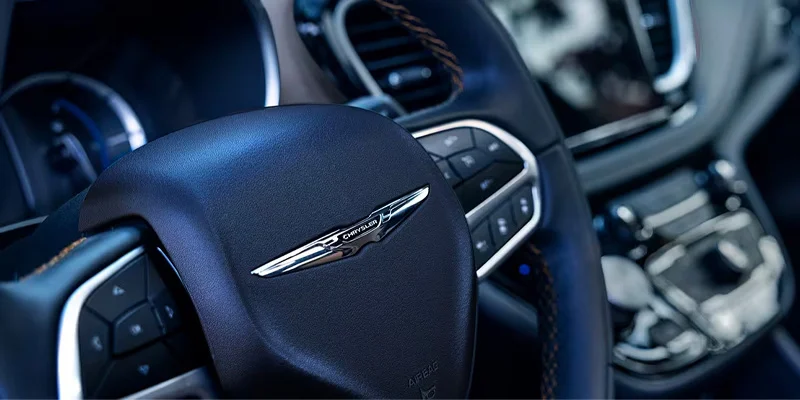
Chrysler infotainment updates ensure your vehicle has the latest software so you can complete key functions at the push of a button. The system supports over-the-air (OTA) software updates, which means you receive the upgraded program through your vehicle’s cellular network. Follow this simple step-by-step guide to update the Uconnect 5 system in your Chrysler Pacifica or Pacifica Hybrid.
1. Check Your Email
Chrysler contacts drivers by email when a new software update becomes available, describing what to expect and explaining new features you’ll receive. They’ll send the message to the same email address you used to sign up for Uconnect Access.
2. Prepare Your Vehicle
To update your system, put your vehicle in park. You don’t need to have the engine running to download and install the OTA update, but the ignition should be in the “on” position.
3. Turn on the Infotainment Screen
If you have a software update available, the system will show a pop-up when you turn on the infotainment system. From this message, you can select “Later” to postpone the update or “Update Now” to start the software download.
4. Follow the Software Prompts
Once you click “Update Now,” it takes about 20 minutes to complete the first part of the installation. Check the progress of the update on the on-screen percentage bar. If you turn off the ignition during this phase, you’ll have to restart the process. Chrysler does not recommend driving your vehicle during the software update.
After the first phase is completed, the second phase will start. At this time, you’ll see a pop-up message that tells you to turn off and exit the vehicle. The rest of the update takes about 70 minutes. As with phase one, a progress bar will show you the percentage of the update remaining. Next time you start the vehicle, a pop-up message will let you know if the update is successful.
5. See What’s New
After successfully updating the Uconnect software, you’ll see a “What’s New” icon on the home screen. Click this icon when you have the vehicle in park to learn about the new infotainment features included in the update. You can also access this feature anytime by clicking on Apps, then Settings, then What’s New.
Upgrading your Uconnect 5 system gives you the latest functions and keeps the software secure. It also optimizes the performance of your infotainment system. Our experienced team of technicians can answer any questions you have about your infotainment system or other components of your Chrysler. Contact Charlevoix Chrysler Dodge Jeep Ram in Charlevoix, MI today to schedule a service appointment or browse our lineup of quality new and used vehicles.
Connect with us


Archives
- 2025 Dodge Hornet
- 2026 Dodge Charger
- 2026 Dodge Charger vs Dodge Challenger
- 2026 Jeep Wrangler
- Charlevoix CDJR
- Charlevoix CDJR Service
- Charlevoix Chrysler Dealership
- Charlevoix Chrysler Dodge Jeep Ram Service
- Charlevoix Dodge Dealership
- Charlevoix Jeep Dealer
- Charlevoix Ram Trucks
- Chrysler Maintenance
- Chrysler Pacifica
- Chrysler Pacifica Features
- Dodge dealership in Charlevoix MI
- Jeep Wrangler
- Jeep Wrangler Features
- New Cars
- Petoskey Chrysler Dealer
- Ram 2500
- RAM 3500
- RAM Maintenance
- Spring Maintenance
- Towing capabilities
- Uncategorized